
| Prerequisites |
|---|
| The FlowCrypt Android app is installed |
| The app has been set up with an email account and encryption keys |
| You know how to access the FlowCrypt settings |
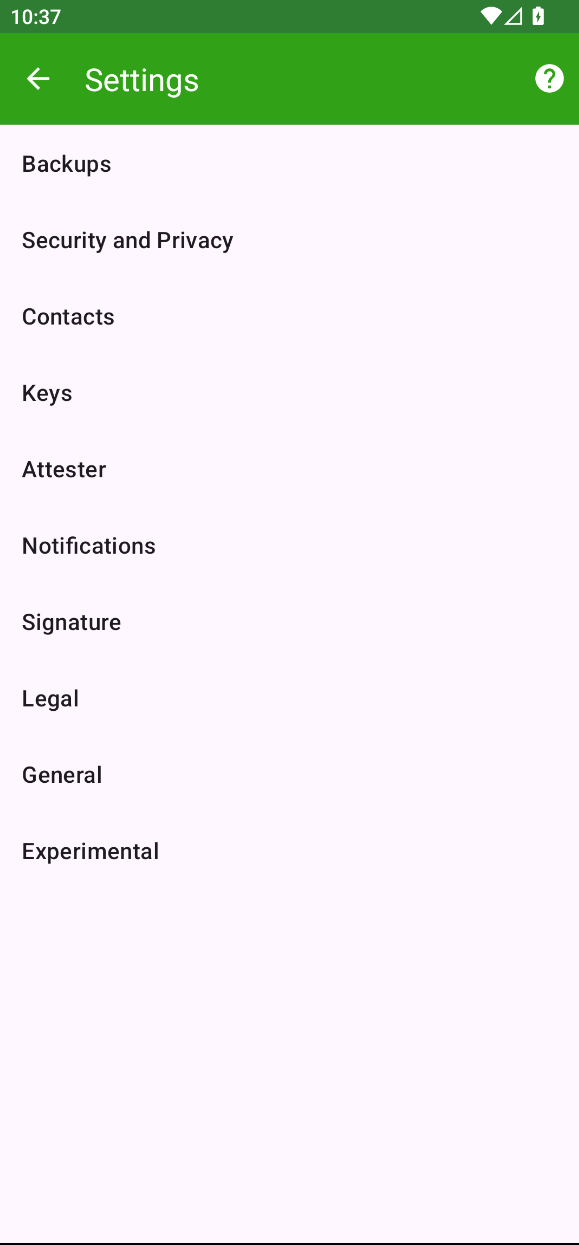
1. Open FlowCrypt Settings
Navigate to the FlowCrypt Settings screen in the Android app.
2. Open Keys
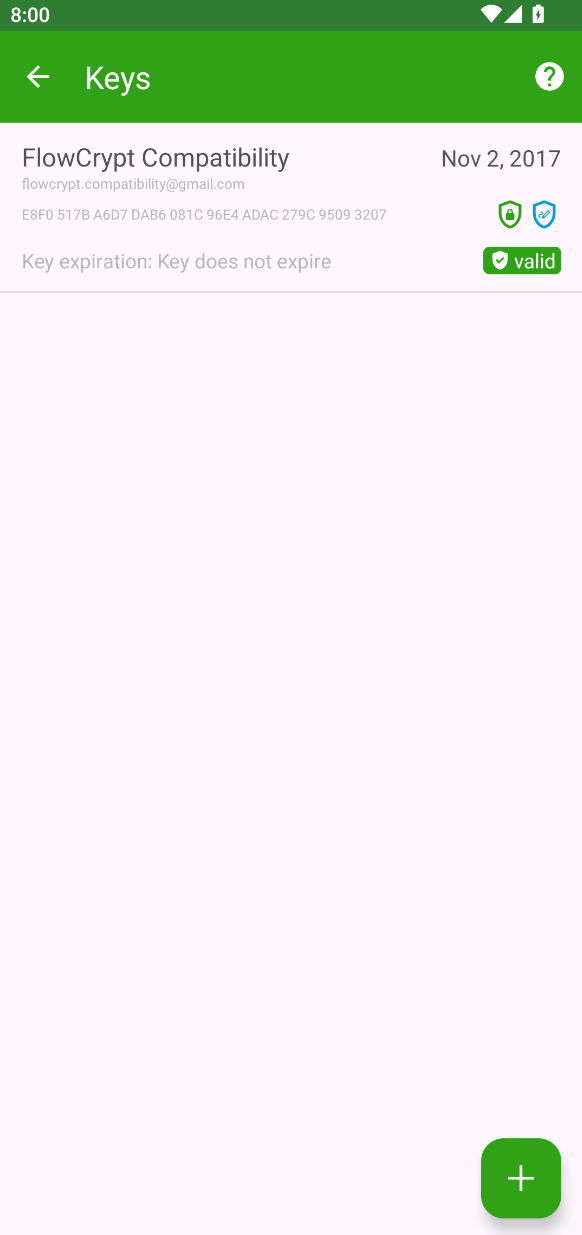
From the settings list, tap Keys to view all encryption keys associated with your account.
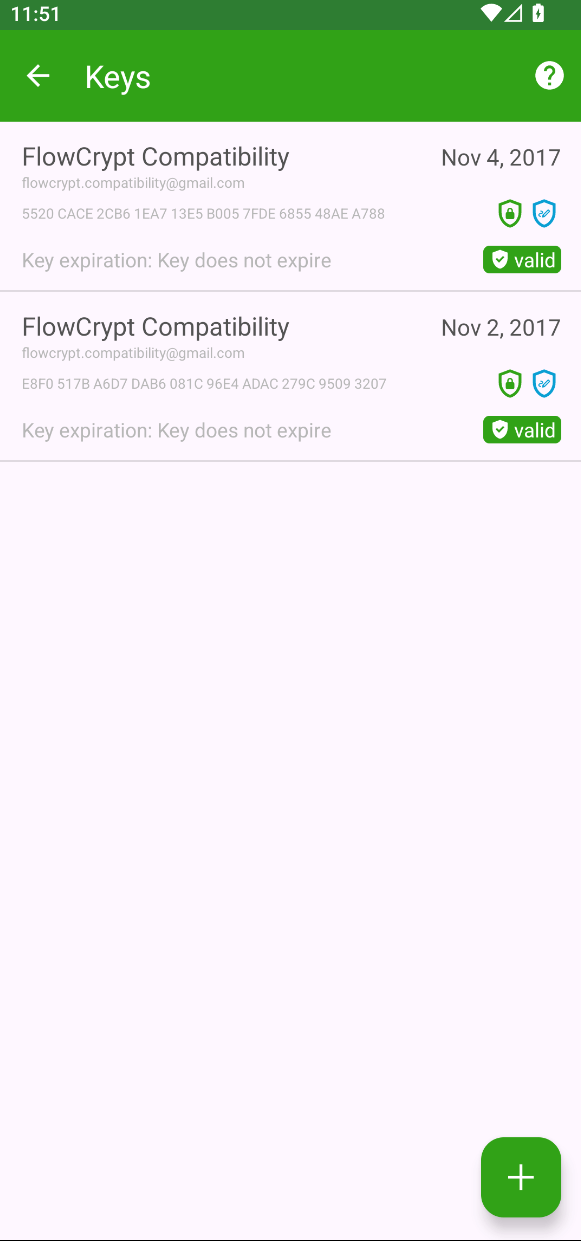
3. Select a Key to Remove
From the list of account keys, tap the key you want to remove. This will open the key details screen.
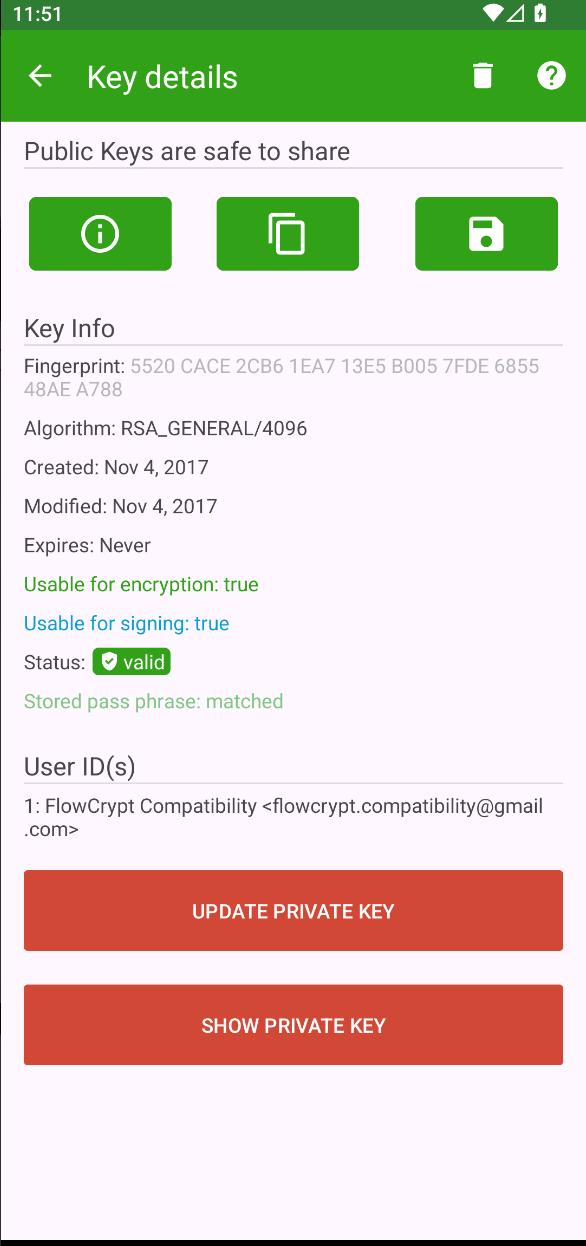
4. Remove the Selected Key
Tap the delete icon and confirm the deletion when prompted.
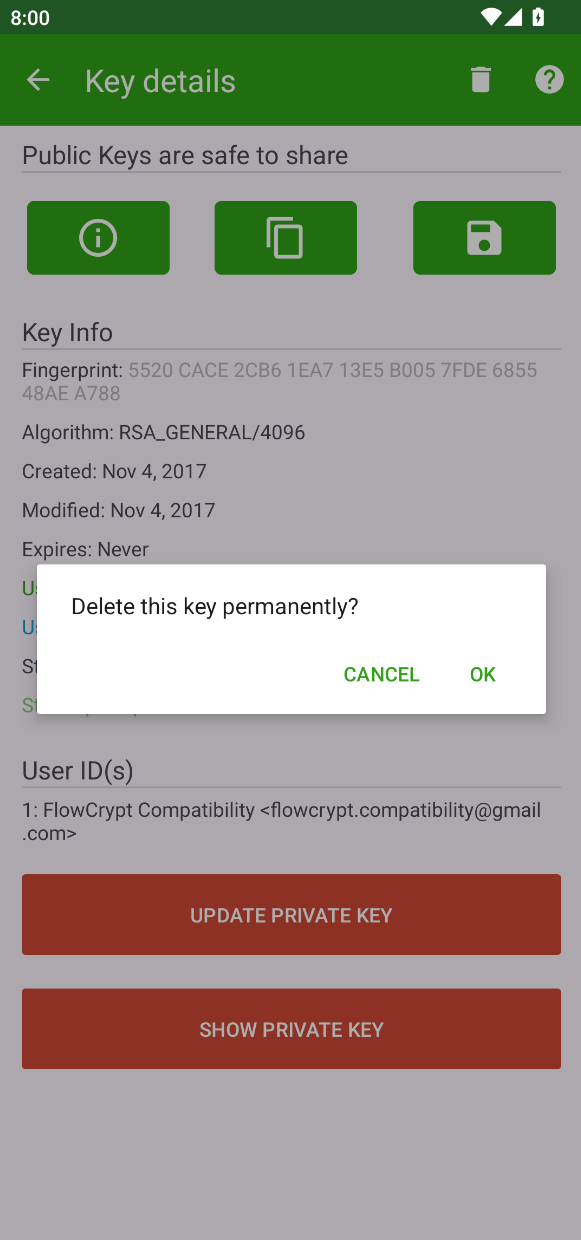
Once removed, the key will no longer appear in your keys list.
Removing a key only affects the local device. Make sure you have backups if you may need this key again.